5 Ways Online Check Printing Can Add Immediate Efficiency to the Payment Process
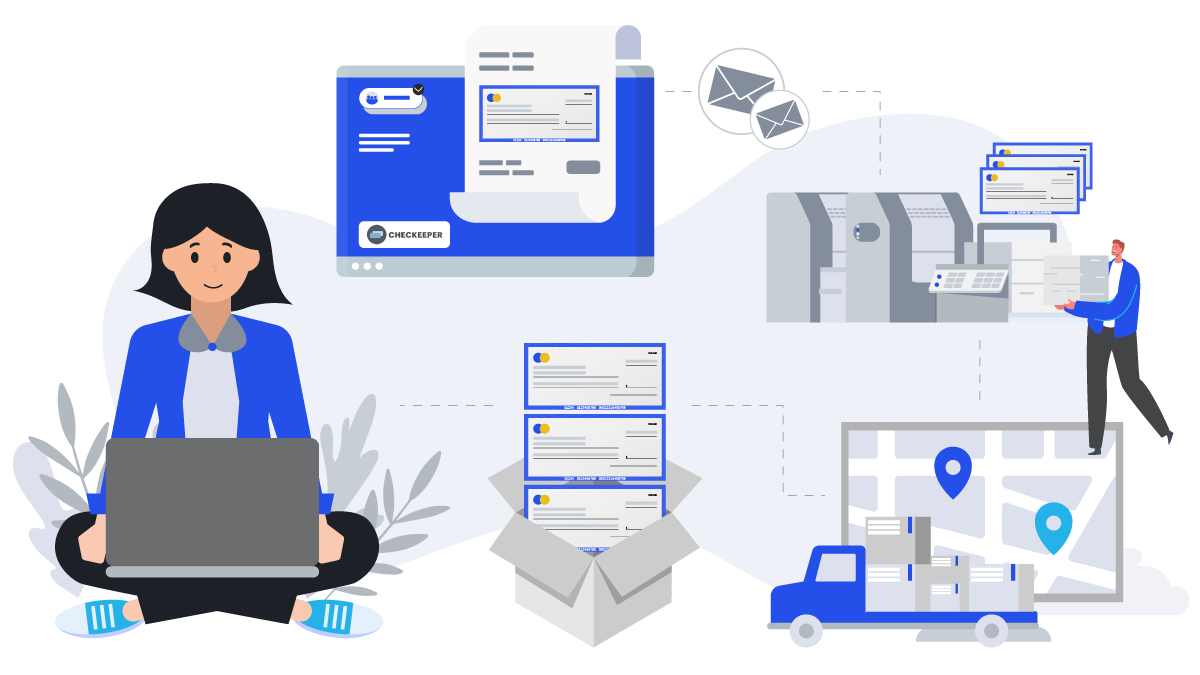
Searching for ways to add efficiency to the process for paying bills and issuing other important payments on the business’s behalf? When the bill and payment issuing becomes outdated, time-consuming, or resource-draining, Checkeeper can step in. Consider five ways Checkeeper adds immediate time-saving efficiency and gives a needed update to the payment process:
1. Online check mailing
Save time and money on supplies by adopting Checkeeper online check mailing for all your routine bill payments and employee paychecks, as well as high-volume check needs for customer rebates or refunds. Add mailing credits to your Checkeeper account so that ordering your checks printed and mailed is only a matter of a few clicks. When you have a lot of checks that need to go out promptly, import a CSV file directly from your computer with all the payment data included, and Checkeeper can generate automatically a payment check with check fields populated with the matching data. Checkeeper offers four priority mailing methods—three with tracking options—and most check orders can be in the mail according to your instructions by the end of the business day. Have attachments, enclosures, or invoices that need to go to? Upload them as well, and have them sent along with your check payment. No supplies, stamps, or envelopes needed from you to still have your customized business checks printed and mailed for you on demand.
2. Smart check registry
Each Checkeeper account comes with an online registry that does a lot of work for you automatically. Instead of manually recording each check as you issue it, take advantage of Checkeeper’s smart check registry that automatically records and stores the details of each check for you. No more manual data entry—and the errors that inevitably accompany the process. Your Checkeeper check registry is searchable according to any check field, including payee, date, check number, amount, memo, and even the custom check fields you add yourself. When you need to track a payment or series of payments, your Checkeeper check registry is all you need to pull up a comprehensive list in seconds. Run reports according to any date or custom time frame, and keep the records and bookkeeping process as accurate and efficient as possible.
3. Bill-to-check conversion
Link Checkeeper to an Odoo or Xero account to have data from unpaid invoices turned directly into check payments that are ready to be printed and mailed. Checkeeper can generate payment checks using the information from unpaid bills to populate the appropriate check fields. Payments due to the same vendor can be consolidated into a single check payment with an attached invoice table that breaks down the total. This reduces paperwork and improves accuracy for everyone, while adding automated efficiency to the bill-paying process. Using a different bookkeeping or accounting software? Checkeeper also integrates with Gusto, Square, QuickBooks Online, FreshBooks, and more to help streamline the bookkeeping and payroll management.
4. User permissions and approvals
Save time and resources by delegating some of the payment tasks to a team member, business partner, or virtual bookkeeper. Online, cloud-based tools, like Checkeeper, make it easy to share access to account features and updated data with multi-user permissions. Add the names and email addresses of new users whose access you wish to authorize, and Checkeeper will email each a secure link to follow that initiates account setup. Account holders can limit the permissions to only those features needed, and permission settings can be changed or canceled anytime. Set up an approval requirement for payments in order to maintain stricter oversight and control of issued check payments. All authorized users can access the Checkeeper account from their own devices, giving everyone simultaneous, real-time access to payment data. Reports run in Checkeeper will indicate the authorized user who initiated each check, ensuring maximum accountability and transparency.
5. Payroll integrations
Adopt Checkeeper to run payroll for the entire company, or print paychecks for only those employees who request paper check payment. Checkeeper can run as a stand-alone service for printing and mailing paychecks with pay stubs to designated employees; Checkeeper can also integrate with Square, Gusto, and Patriot to offer a custom check option with payroll data automatically synced. Need your paychecks printed and mailed for you? Order the entire payroll batch to be printed by Checkeeper, and checks can be either sent back to the office via overnight air to be disbursed onsite, or they can be mailed to each individual employee, freelancer, or remote worker. All payroll data is automatically recorded, stored, and synced for you in order to provide comprehensive reporting and tracking.